
Invite
Invite has been a long-time idea of mine. In 2020, I made a career change, downloaded Figma, and started by mocking up this app concept. It’s become a project I keep returning to, improving the design as I learn more on the job and refine my skills.
Why Invite?
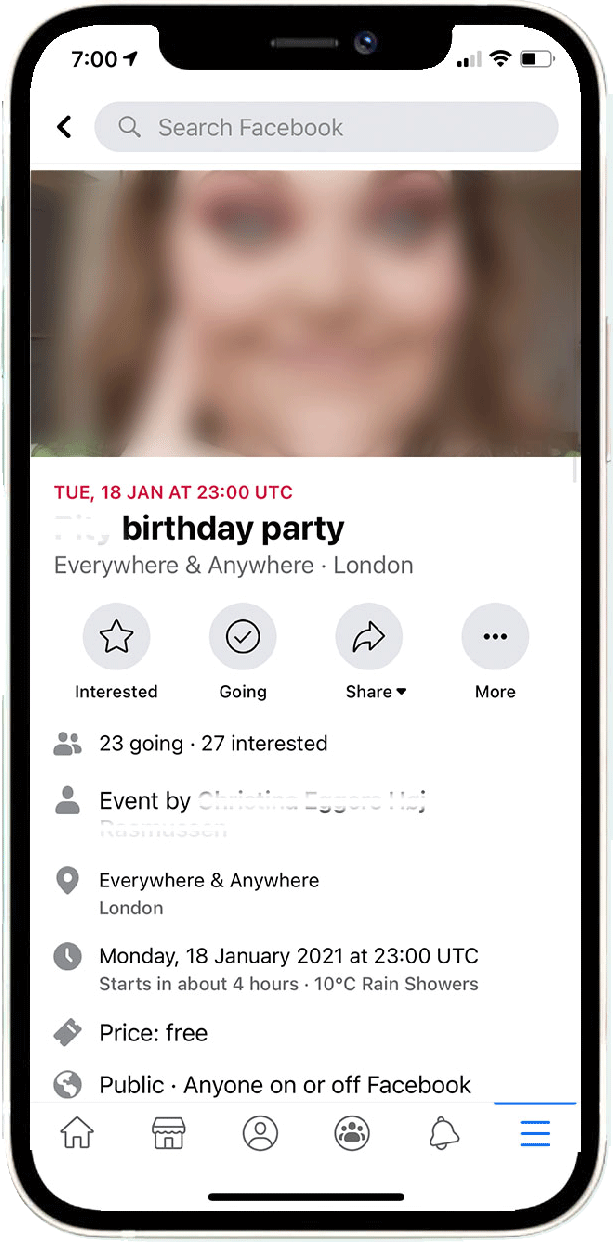
The idea for Invite came about when I had to organise my birthday. Before Instagram, when we only had Facebook, organising events was easy, thanks to 'events.' All our friends and contacts were on one application, and creating an event meant we didn't have to worry about missing anyone out.
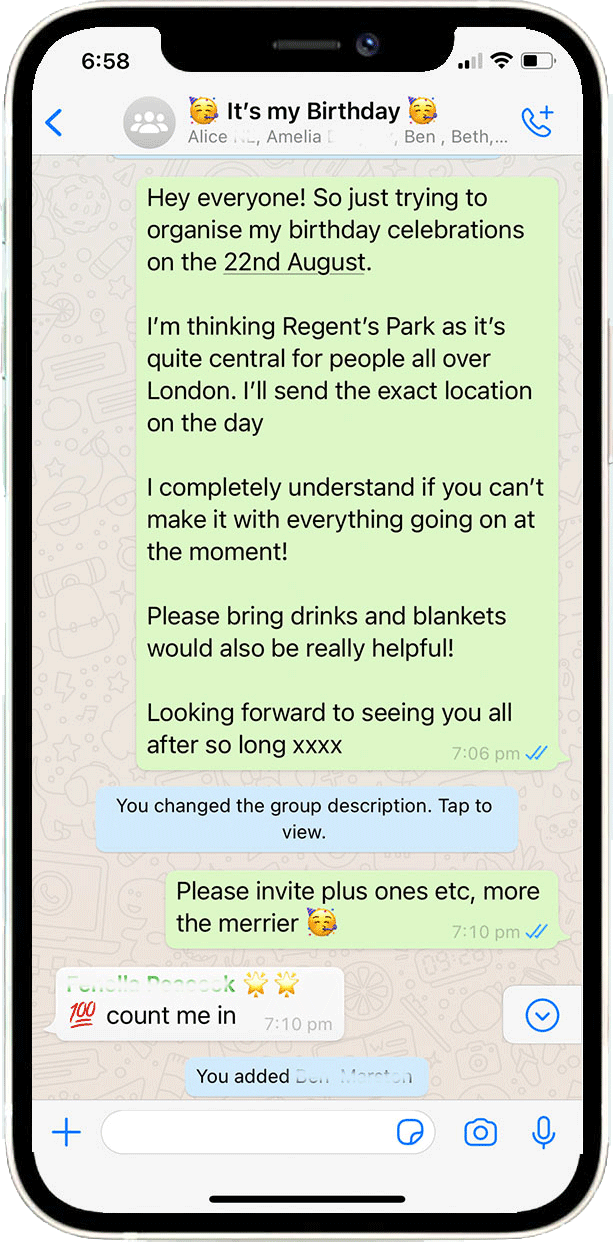
Now, in the post-Instagram era, I have friends on Instagram but not on Facebook, and some people have their contact numbers without Instagram accounts, making things confusing. Most of us have found that the best solution is a big WhatsApp group. However, this comes with its own issues – you post all the information in the first message, and if you miss someone out, they end up missing all the information.
Invite has features like chat, the ability to share images, and keep users up to date with key information without it being lost in a chat.
Competitor research
In my competitor research, I found that some platforms turn birthday cards and wedding invites into standalone apps. Invite, however, stands out with a unique approach—it uses customisable widgets, allowing for a much higher level of personalisation tailored to each event.
eventbrite
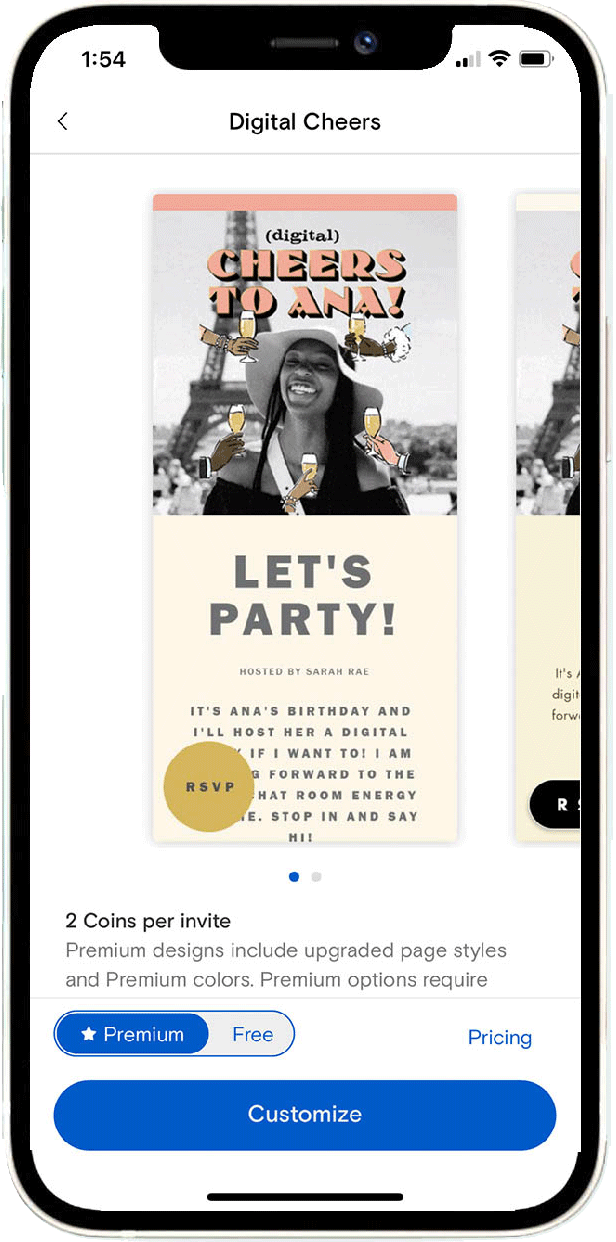
Paperless Post
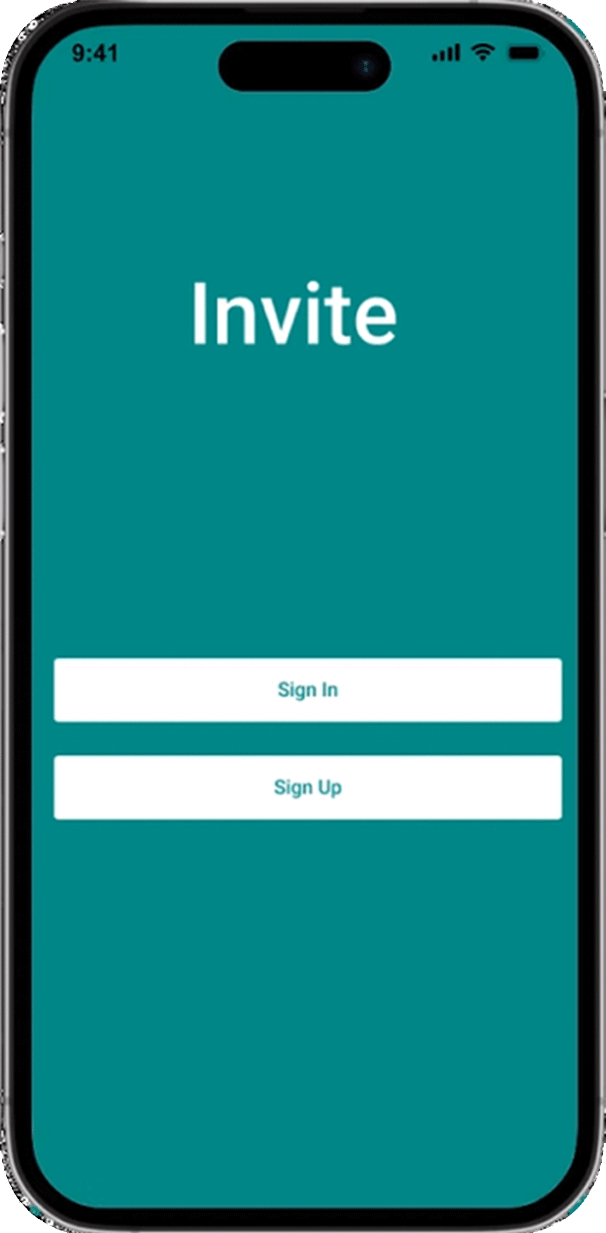
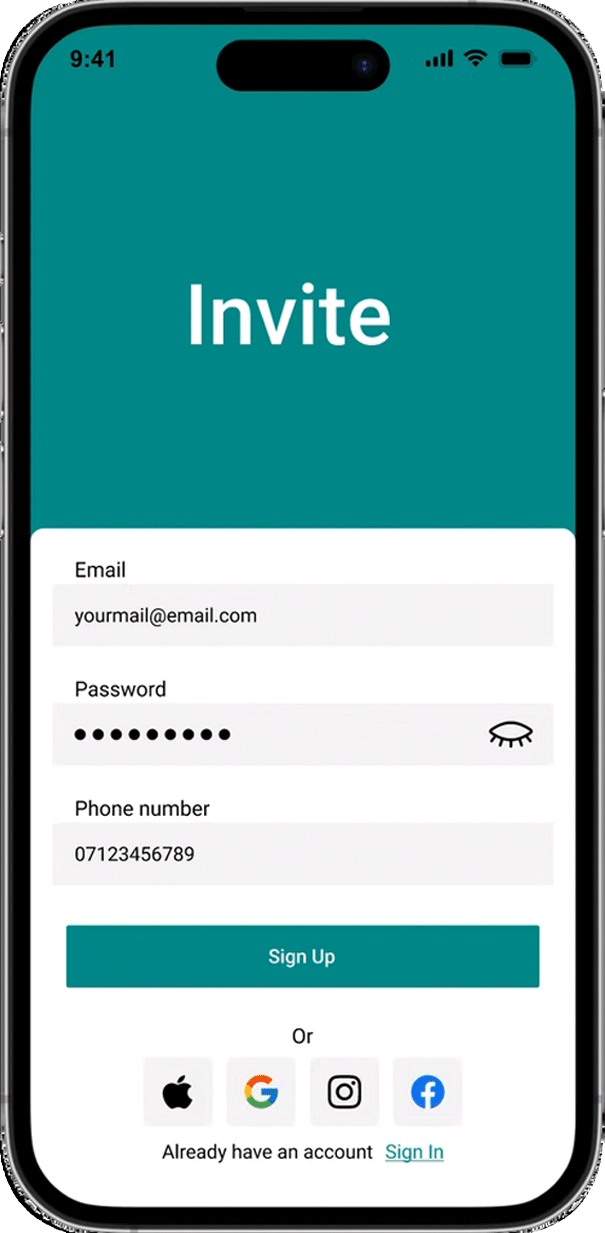
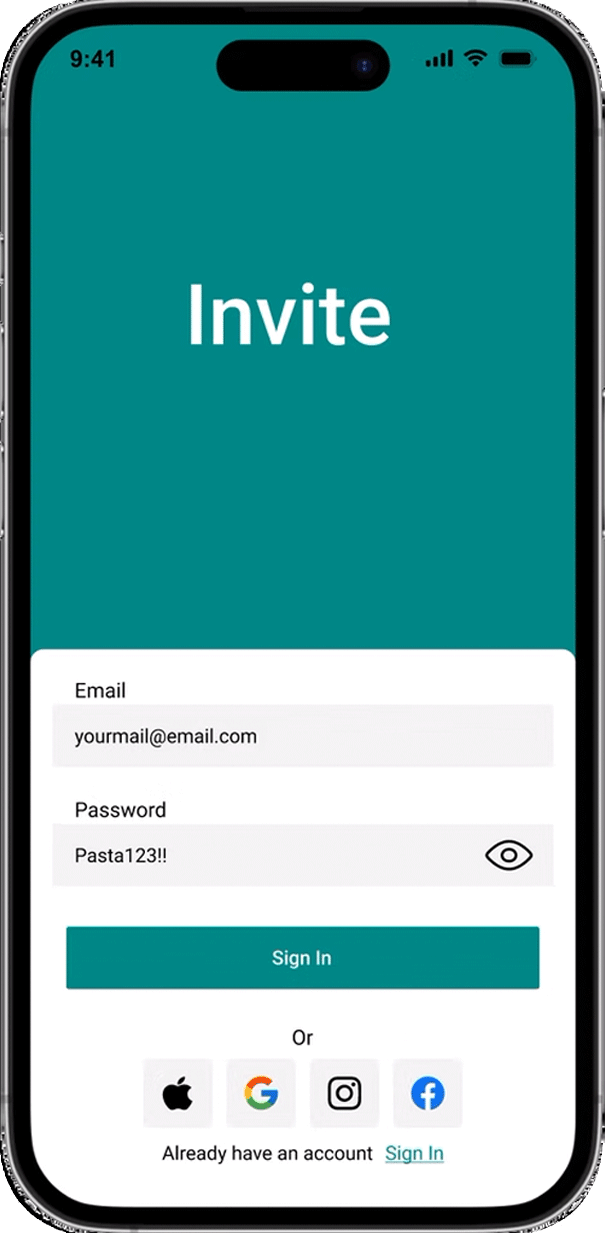
Sign In/ Up Process
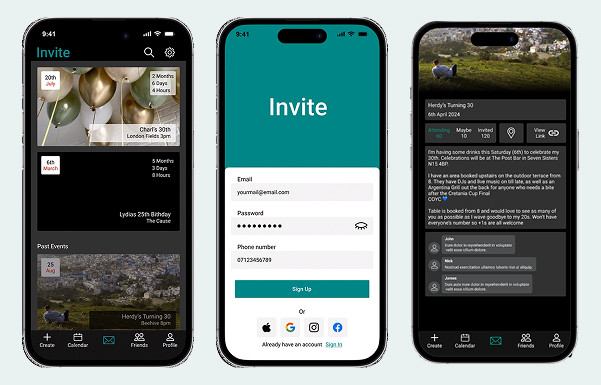
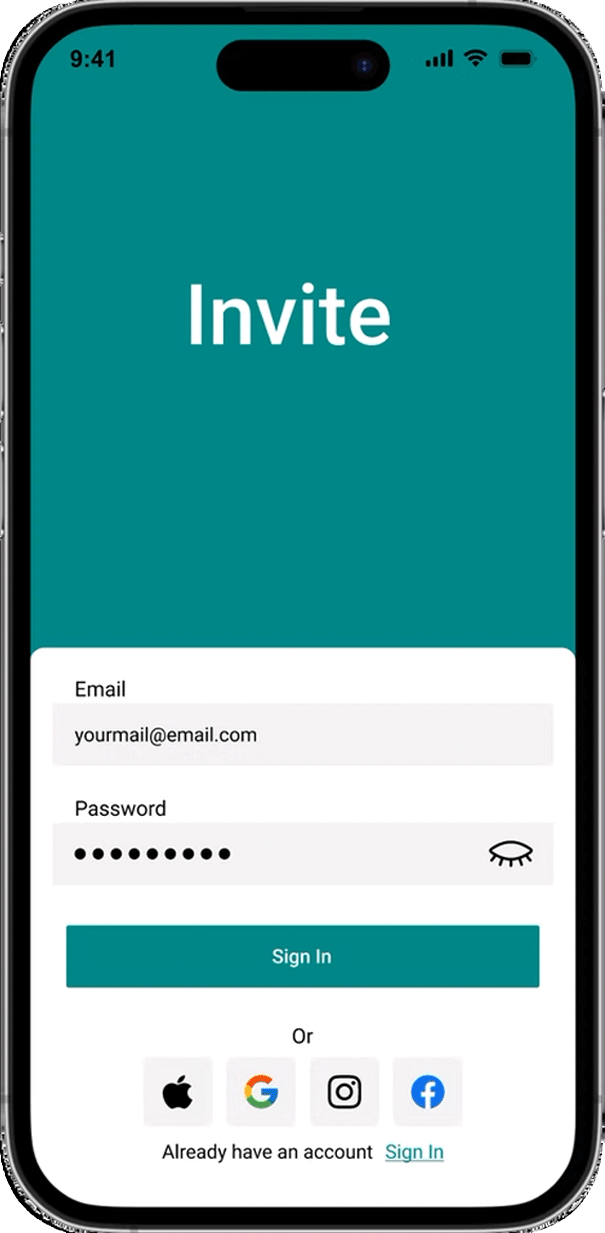
I used this project as a chance to work on and refine a sign-up flow, focusing on making it smooth and user-friendly.
Homescreen
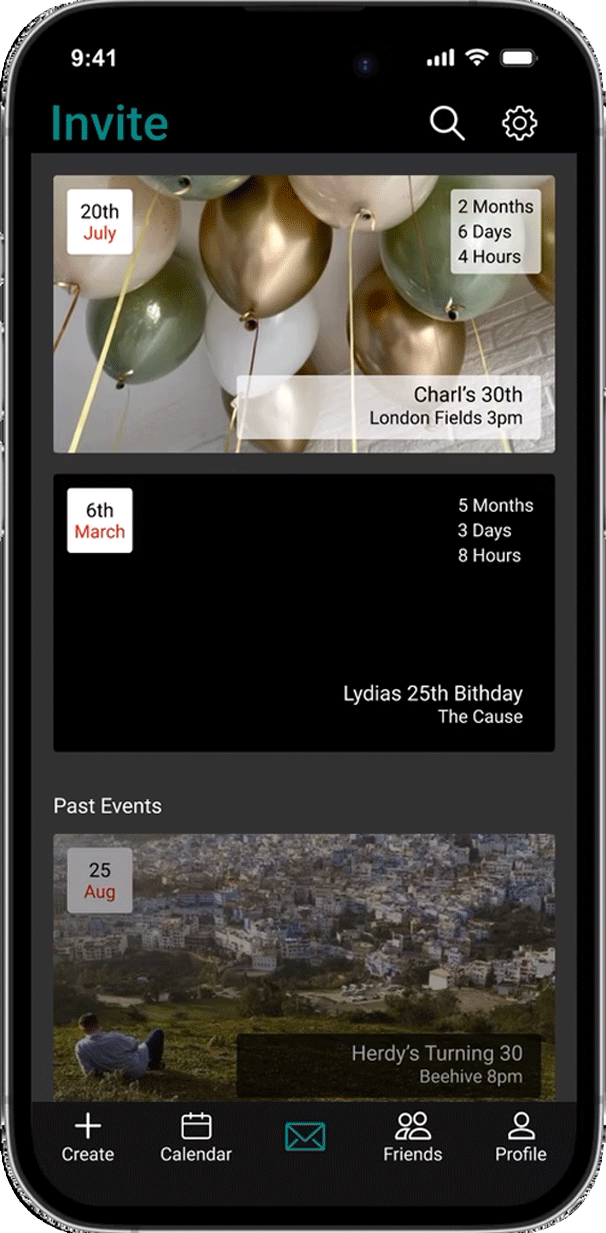
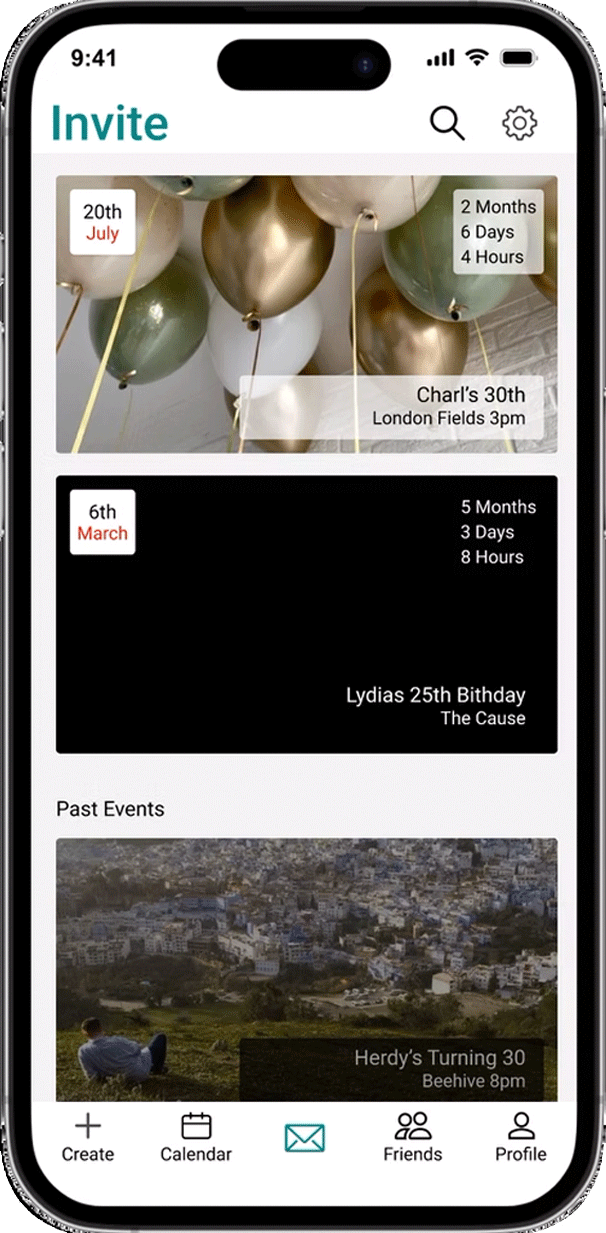
The main invite page gives you a quick view of your upcoming events, with all the details you need in one place.
Some of the key features include:
- Countdown timer: See exactly how much time is left until each event.
- Location and time display: Get instant access to where and when your events are happening.
- Pull-Down Search Feature: Quickly search through past and upcoming events using keywords or venue names, making it easy to stay organised and find exactly what you’re looking for in seconds.
Event page
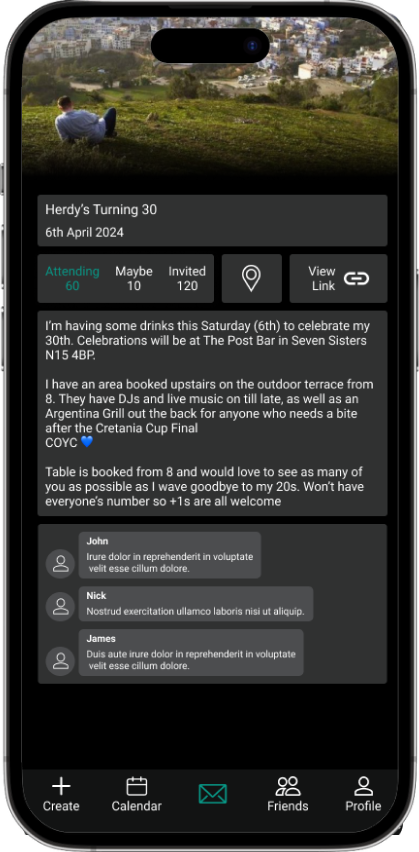
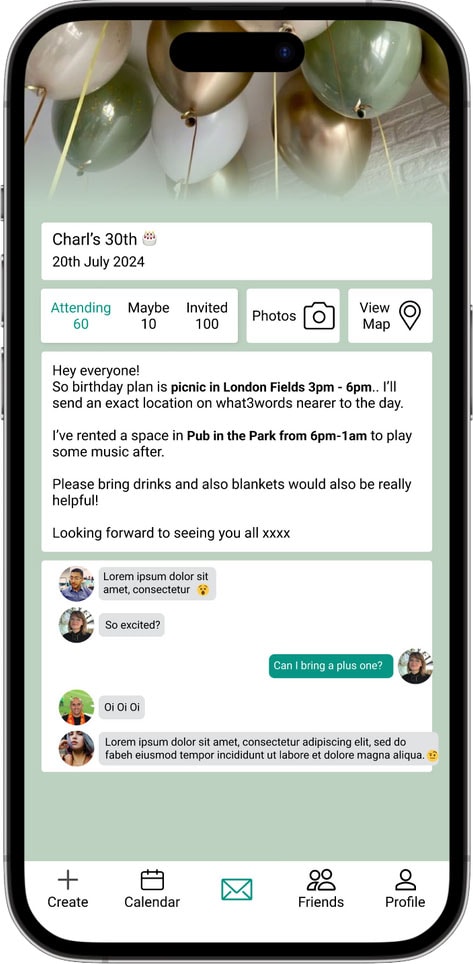
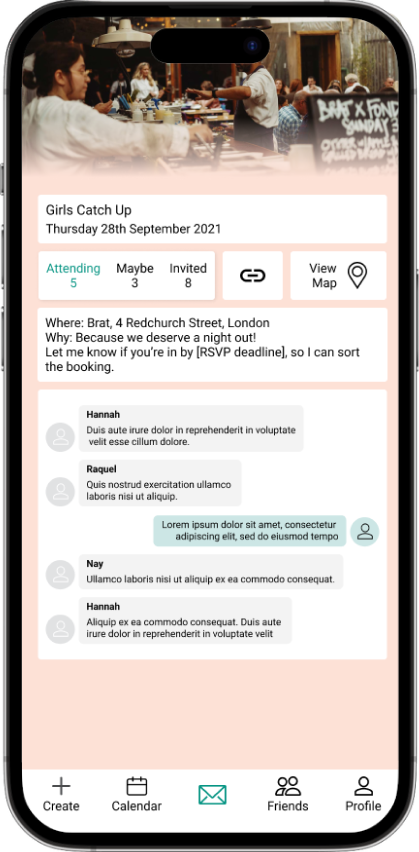
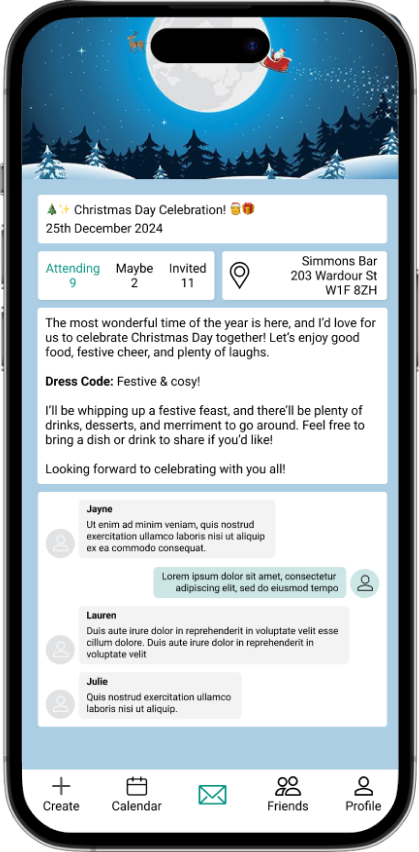
When designing the invitation page, I wanted to ensure it could adapt to different preferences, allowing friends to set up their pages however they like. The idea is for users to personalise the page based on the type of event they’re planning and the information they want to highlight. For example, if the weather forecast isn’t relevant, it can easily be swapped for a link to a food menu.
Design Systems
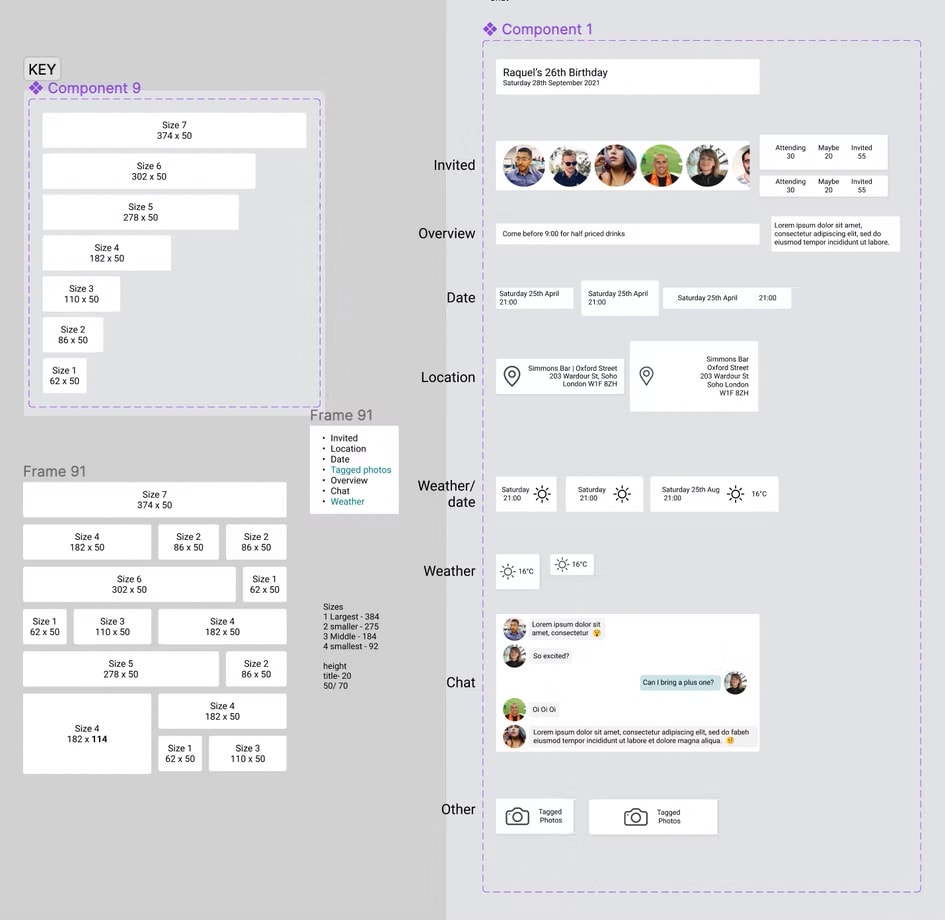
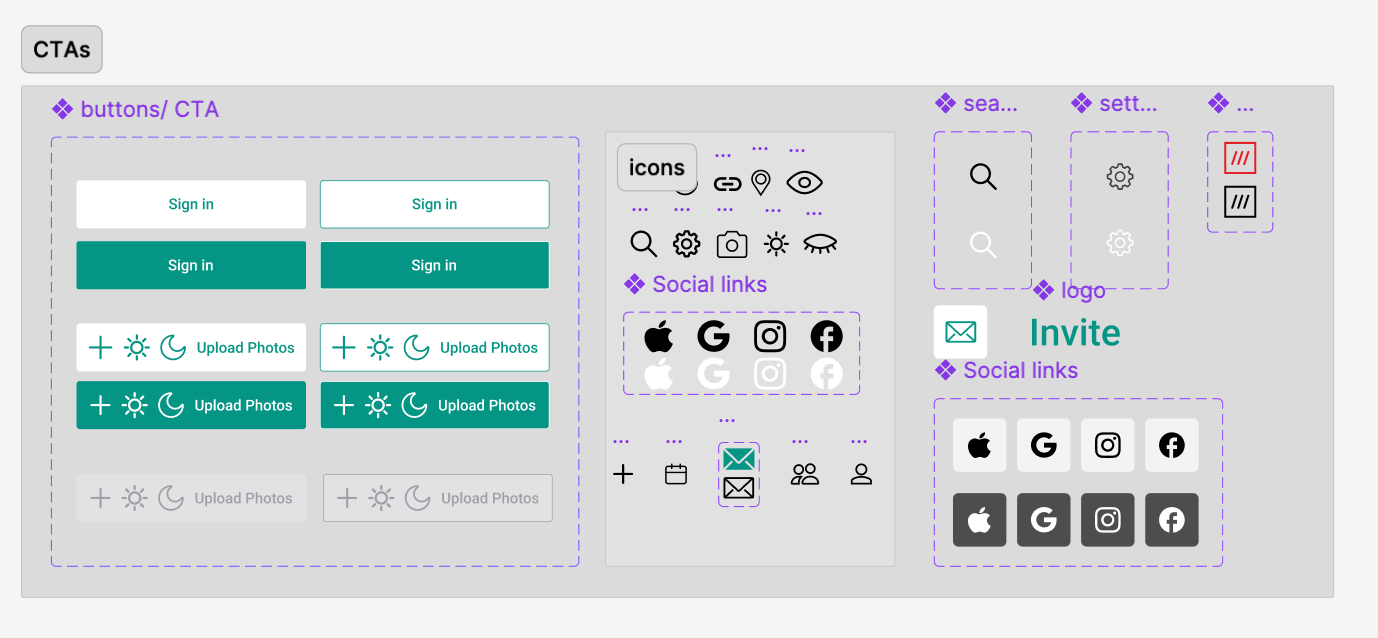
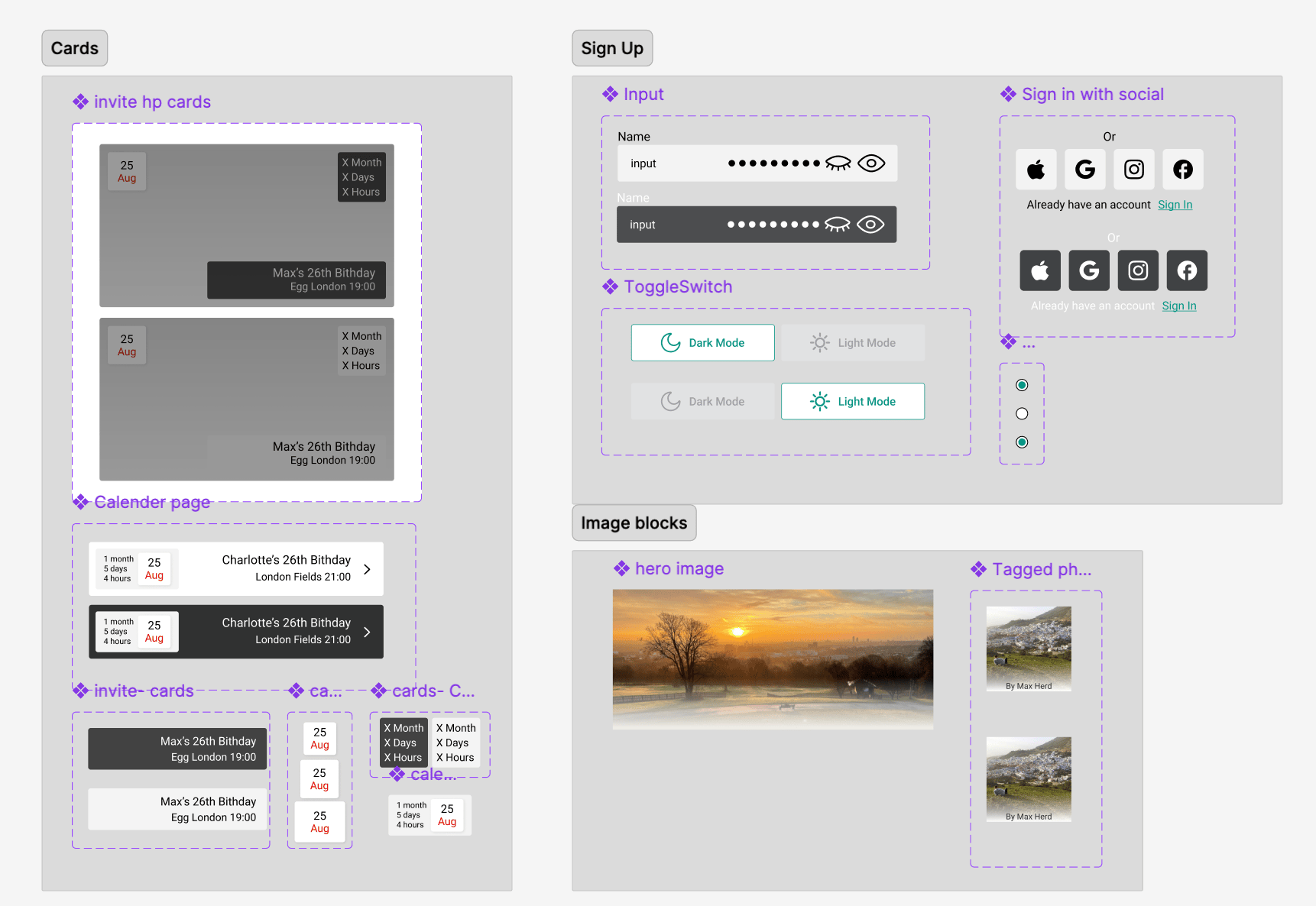
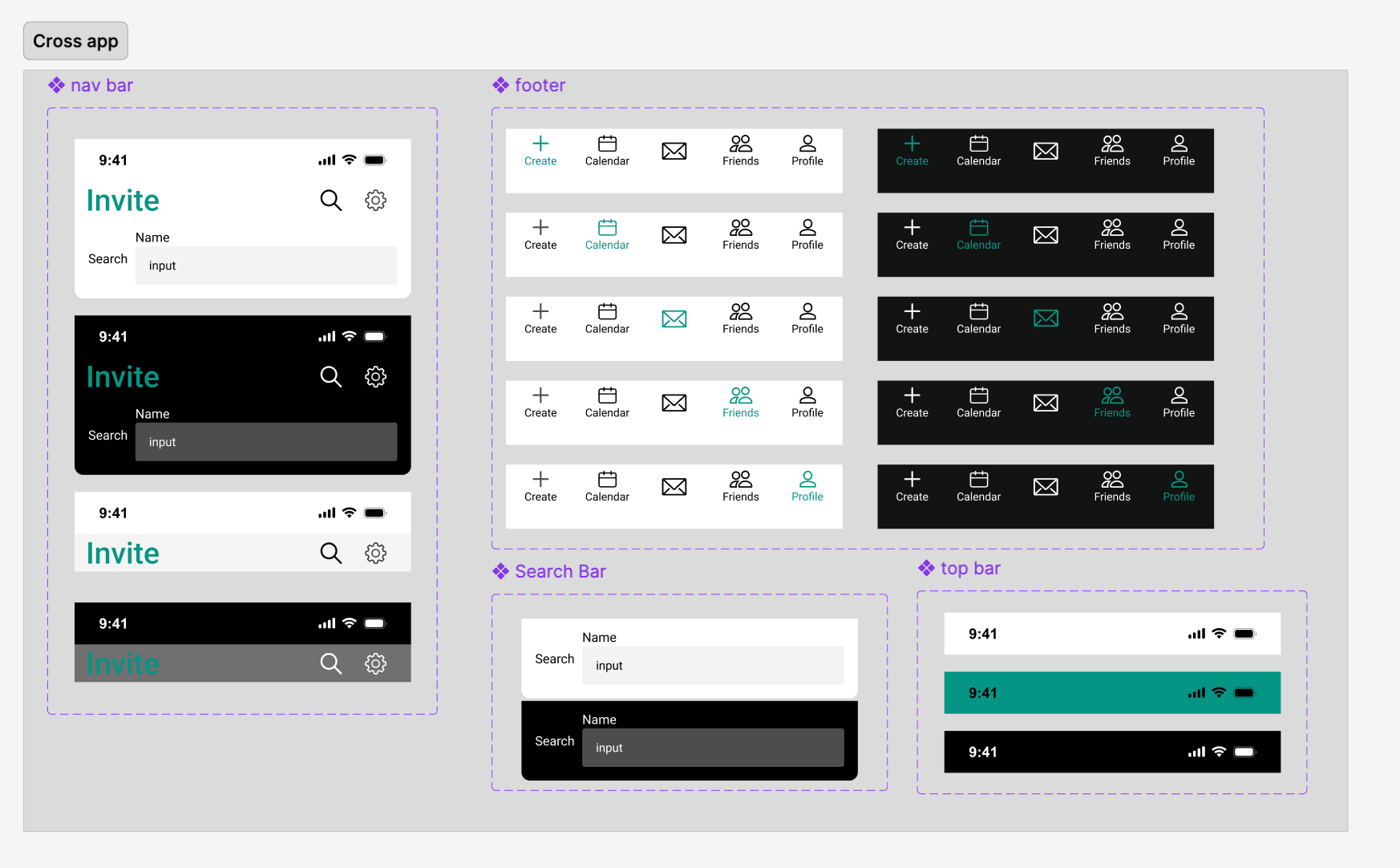
I am in the process of creating a design system for Invite. This will add consistency across all components and ensure a cohesive look and feel throughout the app.
By standardising design elements, such as colour schemes, typography, spacing, and button styles, the system will streamline the development process and improve user experience. It will also make future updates more efficient, as the reusable components can be easily adjusted across the entire interface.
When designing the event pageI went with a Bento Box-style layout for the UI, giving it a modular feel where users can add and arrange widgets like including a map, tagged photos or polling. This setup keeps everything flexible and makes each invite feel unique to the event.
Next Steps
Since this project primarily focused on UI design and served as an opportunity to deepen my Figma skills, After creating the flow for event creation, I'm excited to test the concept with multiple users to gather feedback and refine the experience. I aim to validate user flows, assess ease of navigation, and evaluate the visual hierarchy, with key metrics, such as task completion rate, time on task, and user satisfaction scores, this will provide valuable insights into the design’s effectiveness. Example task: “You want to craft an invite for your birthday party. How would you do that?”Additionally, I’d like to conduct A/B testing to compare multiple design ideas, gaining feedback on which approach best enhances the user experience.
As you can probably see, I have so many ideas and ambitions for Invite. One of the big future ideas for the app is to include wedding invites, the page could be beautifully designed by a designer, for an extra cost.
A few other ideas include;
- Updates/ RSVP reminders and tracking
- Opt-in or out for updates on the big day.
- Printable version of the invite, for the less tech-savvy of guests
- Dress code
- Itinerary
- Colour scheme
- Polling feature

View more projects
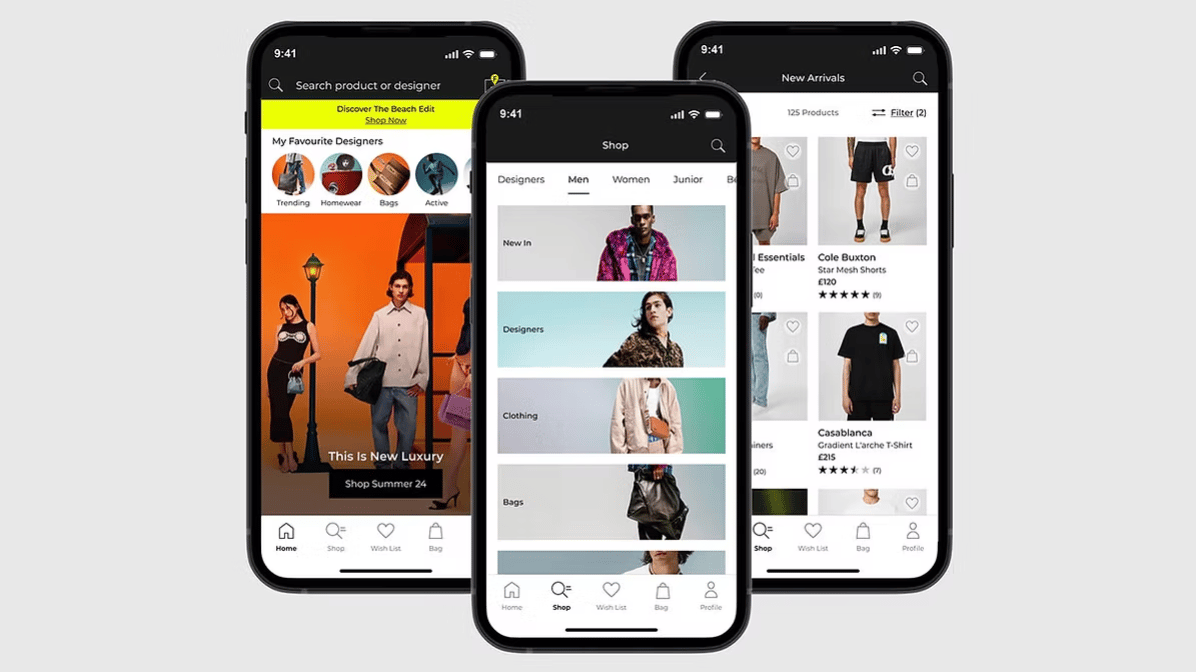
End-to-end case study of the FLANNELS app. Enhancing luxury shopping experience with personalised features and overall user experience.
Read case study

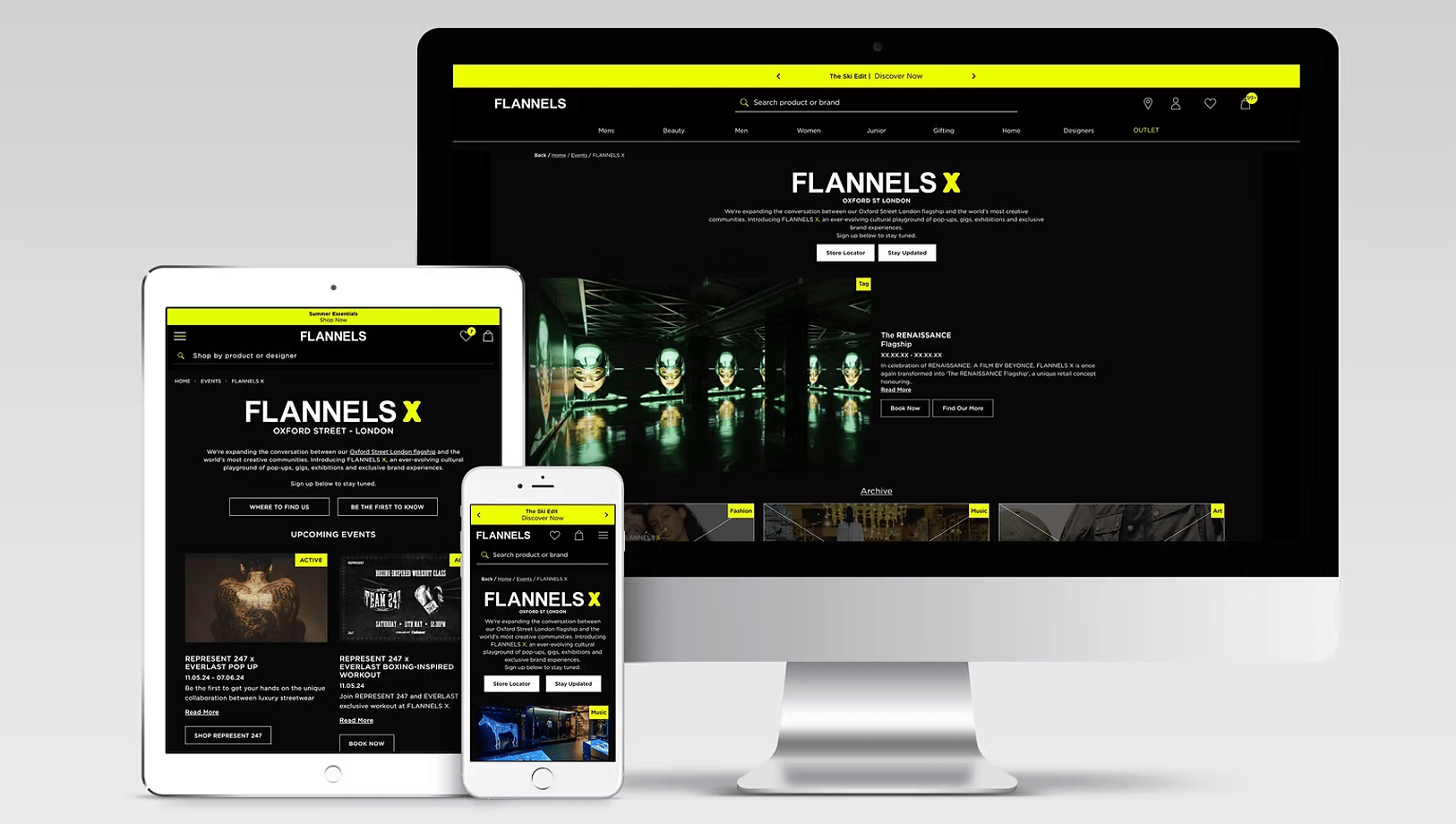
Elevating the experience of a digital hub for exclusive events, brand takeovers and cultural moments at FLANNELS X.
Read case study
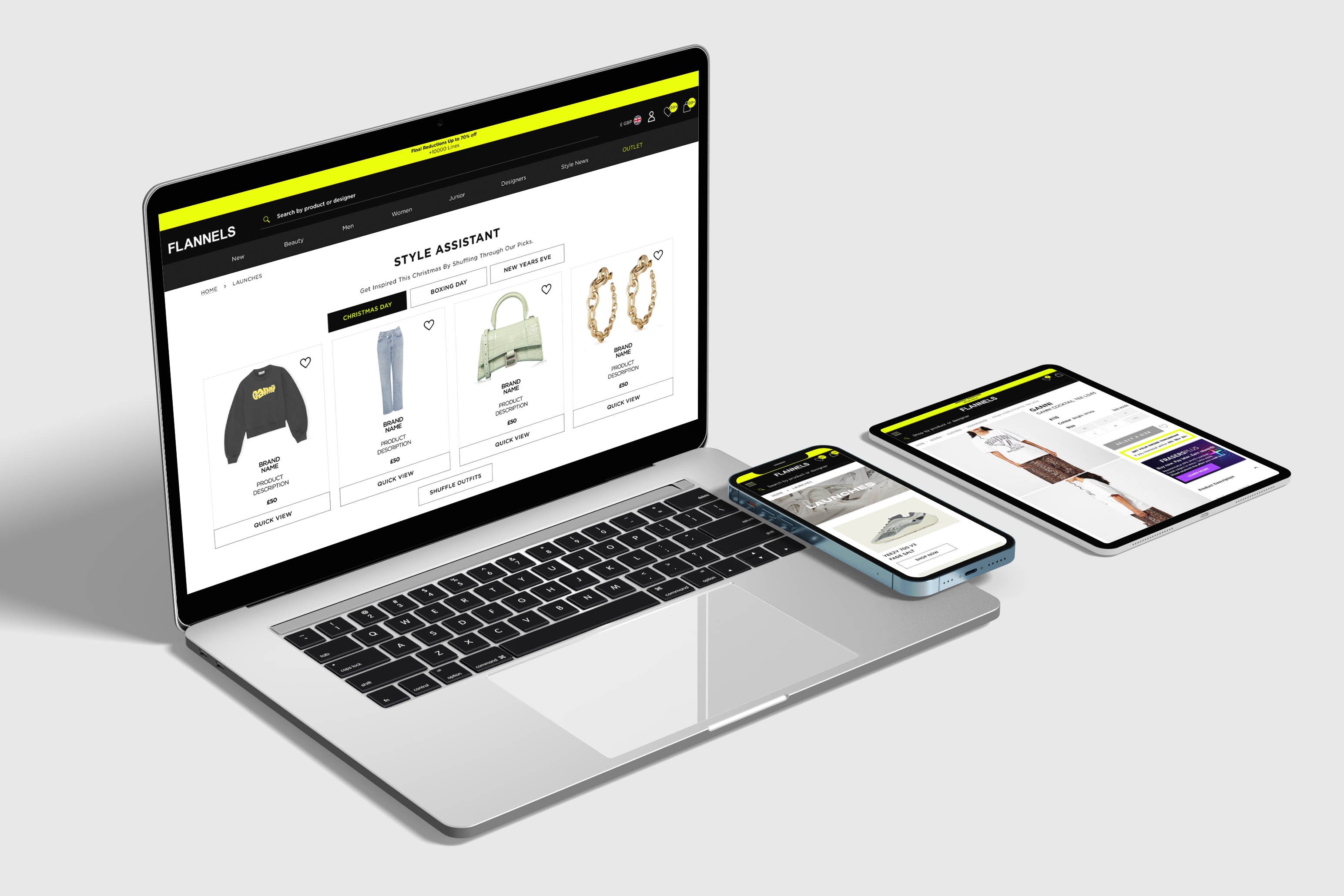
At FLANNELS we are constantly improving and testing the site, here are a few highlights.
Read case study
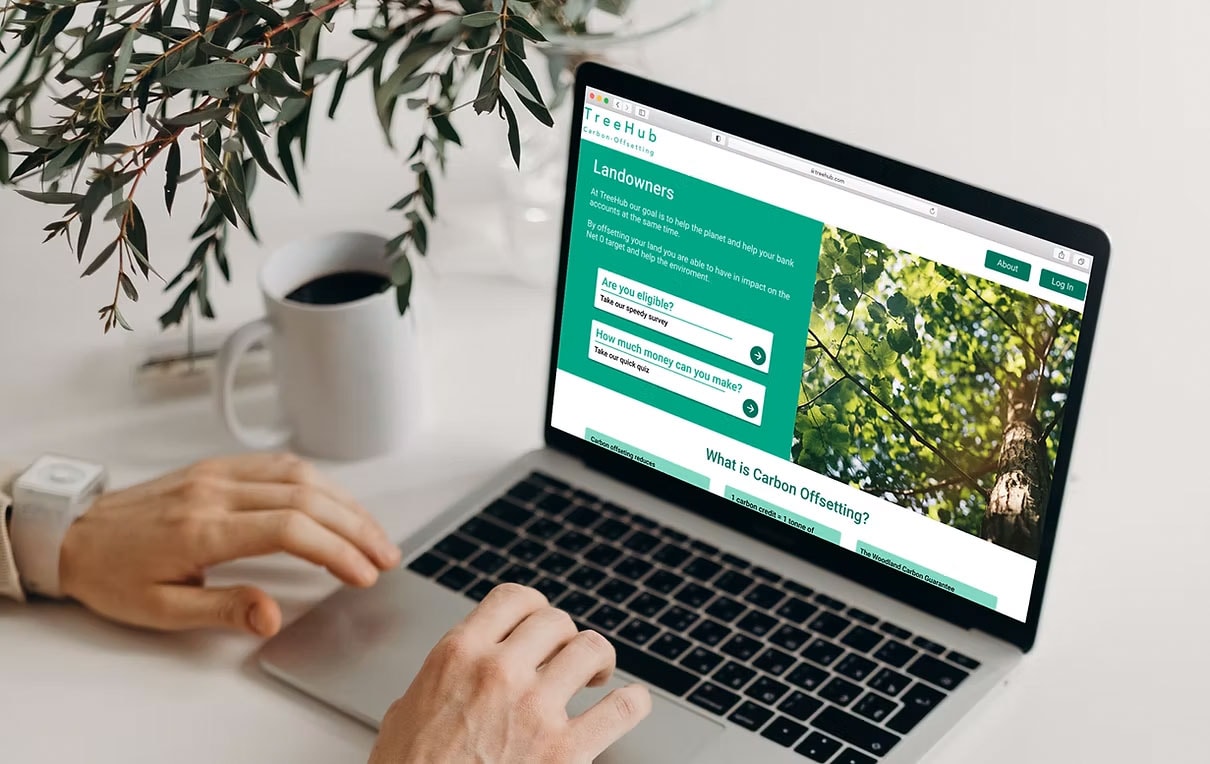
Partnering with TreeHub, I designed a platform helping landowners fund reforestation through carbon offsets.
Read case study
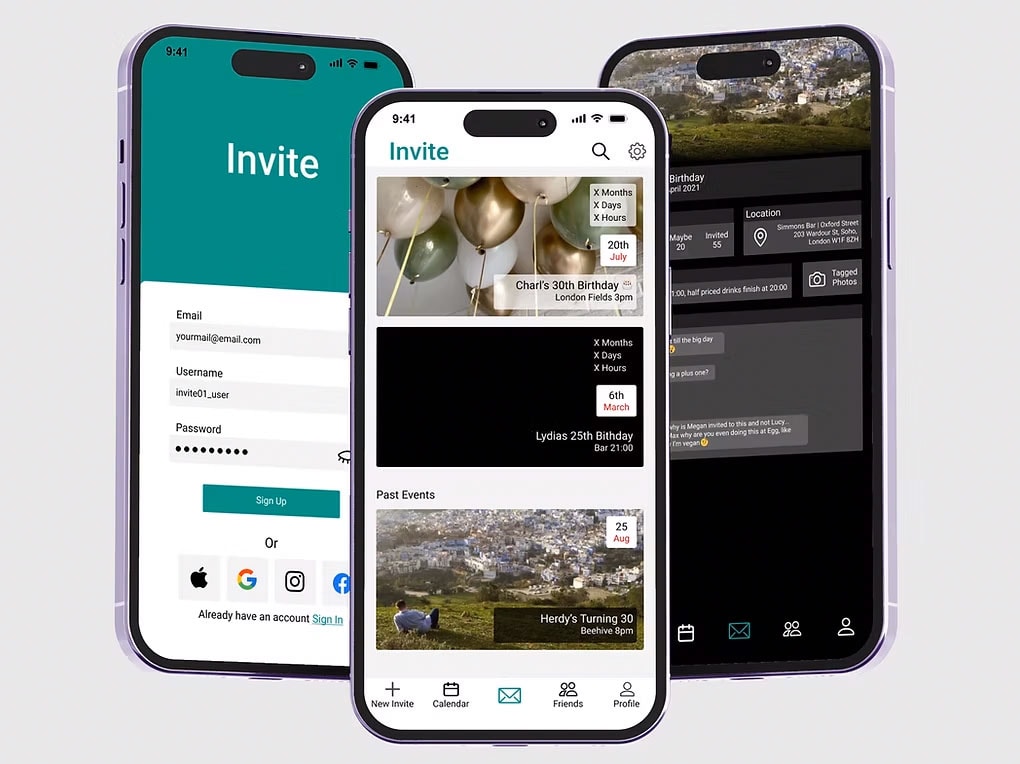
Invite is a design passion project and I use to improve and refine my design skills.
Read case study
Thank you for visitingmade with 💚 and ☕
Let's chat
charlottehemus@hotmail.com


Invite
Invite has been a long-time idea of mine. In 2020, I made a career change, downloaded Figma, and started by mocking up this app concept. It’s become a project I keep returning to, improving the design as I learn more on the job and refine my skills.
Why Invite?
The idea for Invite came about when I had to organise my birthday. Before Instagram, when we only had Facebook, organising events was easy, thanks to 'events.' All our friends and contacts were on one application, and creating an event meant we didn't have to worry about missing anyone out.
Now, in the post-Instagram era, I have friends on Instagram but not on Facebook, and some people have their contact numbers without Instagram accounts, making things confusing. Most of us have found that the best solution is a big WhatsApp group. However, this comes with its own issues – you post all the information in the first message, and if you miss someone out, they end up missing all the information.
Invite has features like chat, the ability to share images, and keep users up to date with key information without it being lost in a chat.
Competitor research
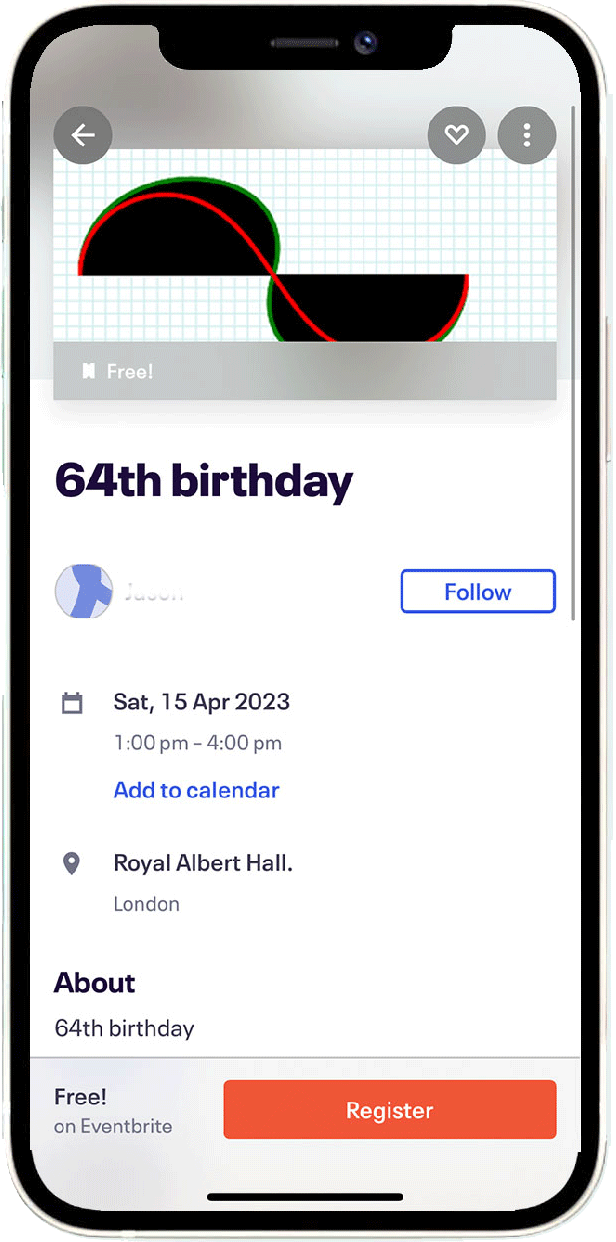
In my competitor research, I found that some platforms turn birthday cards and wedding invites into standalone apps. Invite, however, stands out with a unique approach—it uses customisable widgets, allowing for a much higher level of personalisation tailored to each event.
eventbrite
Paperless post
Sign In/ Up Process
I used this project as a chance to work on and refine a sign-up flow, focusing on making it smooth and user-friendly.
Homescreen
The main invite page gives you a quick view of your upcoming events, with all the details you need in one place.
Some of the key features include:
- Countdown timer: See exactly how much time is left until each event.
- Location and time display: Get instant access to where and when your events are happening.
- Pull-Down Search Feature: Quickly search through past and upcoming events using keywords or venue names, making it easy to stay organised and find exactly what you’re looking for in seconds.

Event page
When designing the invitation page, I wanted to ensure it could adapt to different preferences, allowing friends to set up their pages however they like. The idea is for users to personalise the page based on the type of event they’re planning and the information they want to highlight. For example, if the weather forecast isn’t relevant, it can easily be swapped for a link to a food menu.
Design Systems
I am in the process of creating a design system for Invite. This will add consistency across all components and ensure a cohesive look and feel throughout the app.
By standardising design elements, such as colour schemes, typography, spacing, and button styles, the system will streamline the development process and improve user experience. It will also make future updates more efficient, as the reusable components can be easily adjusted across the entire interface.
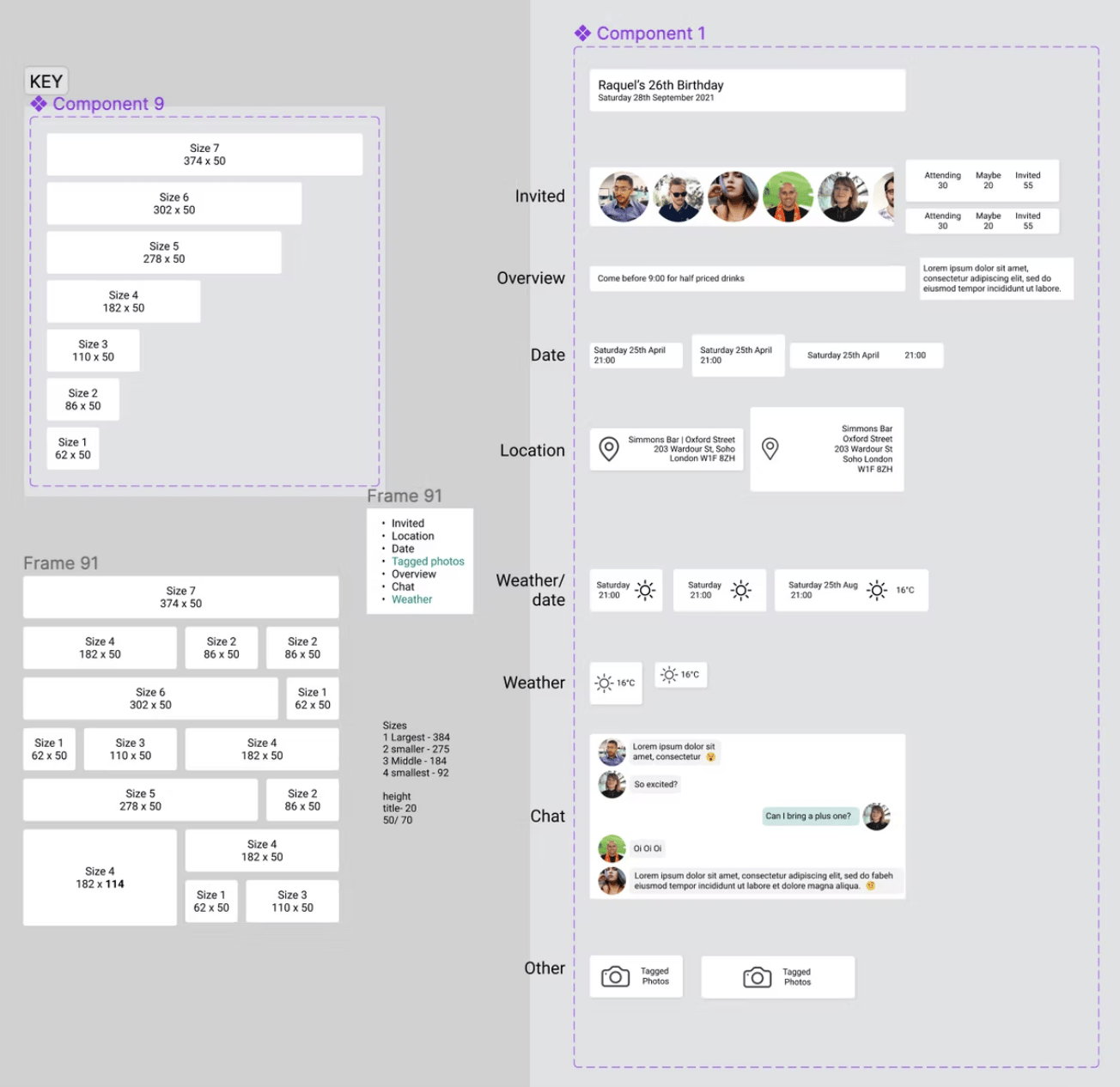
When designing the event pageI went with a Bento Box-style layout for the UI, giving it a modular feel where users can add and arrange widgets like including a map, tagged photos or polling. This setup keeps everything flexible and makes each invite feel unique to the event.
Next Steps
Since this project primarily focused on UI design and served as an opportunity to deepen my Figma skills, After creating the flow for event creation, I'm excited to test the concept with multiple users to gather feedback and refine the experience. I aim to validate user flows, assess ease of navigation, and evaluate the visual hierarchy. Key metrics, such as task completion rate, time on task, and user satisfaction scores, this will provide valuable insights into the design’s effectiveness.
Example task: “You want to craft an invite for your birthday party. How would you do that?”
Additionally, I’d like to conduct A/B testing to compare multiple design ideas, gaining feedback on which approach best enhances the user experience.
As you can probably see, I have so many ideas and ambitions for Invite. One of the big future ideas for the app is to include wedding invites, the page could be beautifully designed by a designer (extra costs)
- Updates/ RSVP reminders and tracking
- Opt-in or out for updates on the big day.
- Printable version of the invite, for the less tech-savvy of guests
- Dress code
- Itinerary
- Colour scheme
- Polling feature
View more projects
End-to-end case study of the FLANNELS app. Enhancing luxury shopping experience with personalised features and overall user experience.
Read case study
Elevating the experience of a digital hub for exclusive events, brand takeovers and cultural moments at FLANNELS X.
Read case study
At FLANNELS we are constantly improving and testing the site, here are a few highlights.
Read case study
Partnering with TreeHub, I designed a platform helping landowners access funding to reforest their land through carbon offset initiatives.
Read case study
Thank you for visitingmade with 💚 and ☕
Let's chat
charlottehemus@hotmail.comInvite
Invite has been a long-time idea of mine. In 2020, I made a career change, downloaded Figma, and started by mocking up this app concept. It’s become a project I keep returning to, improving the design as I learn more on the job and refine my skills.
Why Invite?
The idea for Invite came about when I had to organise my birthday. Before Instagram, when we only had Facebook, organising events was easy, thanks to 'events.' All our friends and contacts were on one application, and creating an event meant we didn't have to worry about missing anyone out.
Now, in the post-Instagram era, I have friends on Instagram but not on Facebook, and some people have their contact numbers without Instagram accounts, making things confusing. Most of us have found that the best solution is a big WhatsApp group. However, this comes with its own issues – you post all the information in the first message, and if you miss someone out, they end up missing all the information.
Invite has features like chat, the ability to share images, and keep users up to date with key information without it being lost in a chat.
Competitor Research
In my competitor research, I found that some platforms turn birthday cards and wedding invites into standalone apps. Invite, however, stands out with a unique approach—it uses customisable widgets, allowing for a much higher level of personalisation tailored to each event.
eventbrite
Sign In/ Up Process
I used this project as a chance to work on and refine a sign-up flow, focusing on making it smooth and user-friendly.
Homescreen
The main invite page gives you a quick view of your upcoming events, with all the details you need in one place.
Some of the key features include:
- Countdown timer: See exactly how much time is left until each event.
- Location and time display: Get instant access to where and when your events are happening.
- Pull-Down Search Feature: Quickly search through past and upcoming events using keywords or venue names, making it easy to stay organised and find exactly what you’re looking for in seconds.
Dark mode
Light mode
Event Page
When designing the invitation page, I wanted to ensure it could adapt to different preferences, allowing friends to set up their pages however they like. The idea is for users to personalise the page based on the type of event they’re planning and the information they want to highlight. For example, if the weather forecast isn’t relevant, it can easily be swapped for a link to a food menu.
Design Systems
I am in the process of creating a design system for Invite. This will add consistency across all components and ensure a cohesive look and feel throughout the app.
By standardising design elements, such as colour schemes, typography, spacing, and button styles, the system will streamline the development process and improve user experience. It will also make future updates more efficient, as the reusable components can be easily adjusted across the entire interface.
When designing the event pageI went with a Bento Box-style layout for the UI, giving it a modular feel where users can add and arrange widgets like including a map, tagged photos or polling. This setup keeps everything flexible and makes each invite feel unique to the event.
Next Steps
Since this project primarily focused on UI design and served as an opportunity to deepen my Figma skills, After creating the flow for event creation, I'm excited to test the concept with multiple users to gather feedback and refine the experience. I aim to validate user flows, assess ease of navigation, and evaluate the visual hierarchy. Key metrics, such as task completion rate, time on task, and user satisfaction scores, this will provide valuable insights into the design’s effectiveness.
Example task: “You want to craft an invite for your birthday party. How would you do that?”
Additionally, I’d like to conduct A/B testing to compare multiple design ideas, gaining feedback on which approach best enhances the user experience.
As you can probably see, I have so many ideas and ambitions for Invite. One of the big future ideas for the app is to include wedding invites, the page could be beautifully designed by a designer (extra costs)
- Updates/ RSVP reminders and tracking
- Opt-in or out for updates on the big day.
- Printable version of the invite, for the less tech-savvy of guests
- Dress code
- Itinerary
- Colour scheme
- Polling feature

View more projects
End-to-end case study of the FLANNELS app. Enhancing luxury shopping experience with personalised features and overall user experience.
Read case study
Elevating the experience of a digital hub for exclusive events, brand takeovers and cultural moments at FLANNELS X.
Read case study
At FLANNELS we are constantly improving and testing the site, here are a few highlights.
Read case study
Partnering with TreeHub, I designed a platform helping landowners access funding to reforest their land through carbon offset initiatives.
Read case study
Thank you for visitingmade with 💚 and ☕
Let's chat
charlottehemus@hotmail.comInvite
Invite has been a long-time idea of mine. In 2020, I made a career change, downloaded Figma, and started by mocking up this app concept. It’s become a project I keep returning to, improving the design as I learn more on the job and refine my skills.
Why Invite?
The idea for Invite came about when I had to organise my birthday. Before Instagram, when we only had Facebook, organising events was easy, thanks to 'events.' All our friends and contacts were on one application, and creating an event meant we didn't have to worry about missing anyone out.
Now, in the post-Instagram era, I have friends on Instagram but not on Facebook, and some people have their contact numbers without Instagram accounts, making things confusing. Most of us have found that the best solution is a big WhatsApp group. However, this comes with its own issues – you post all the information in the first message, and if you miss someone out, they end up missing all the information.
Invite has features like chat, the ability to share images, and keep users up to date with key information without it being lost in a chat.
Competitor Research
In my competitor research, I found that some platforms turn birthday cards and wedding invites into standalone apps. Invite, however, stands out with a unique approach—it uses customisable widgets, allowing for a much higher level of personalisation tailored to each event.
eventbrite
Sign In/ Up Process
I used this project as a chance to work on and refine a sign-up flow, focusing on making it smooth and user-friendly.
Homescreen
The main invite page gives you a quick view of your upcoming events, with all the details you need in one place.
Some of the key features include:
- Countdown timer: See exactly how much time is left until each event.
- Location and time display: Get instant access to where and when your events are happening.
- Pull-Down Search Feature: Quickly search through past and upcoming events using keywords or venue names, making it easy to stay organised and find exactly what you’re looking for in seconds.
Dark mode
Light mode
Event Page
When designing the invitation page, I wanted to ensure it could adapt to different preferences, allowing friends to set up their pages however they like. The idea is for users to personalise the page based on the type of event they’re planning and the information they want to highlight. For example, if the weather forecast isn’t relevant, it can easily be swapped for a link to a food menu.
Design Systems
I am in the process of creating a design system for Invite. This will add consistency across all components and ensure a cohesive look and feel throughout the app.
By standardising design elements, such as colour schemes, typography, spacing, and button styles, the system will streamline the development process and improve user experience. It will also make future updates more efficient, as the reusable components can be easily adjusted across the entire interface.
When designing the event pageI went with a Bento Box-style layout for the UI, giving it a modular feel where users can add and arrange widgets like including a map, tagged photos or polling. This setup keeps everything flexible and makes each invite feel unique to the event.
Next Steps
Since this project primarily focused on UI design and served as an opportunity to deepen my Figma skills, After creating the flow for event creation, I'm excited to test the concept with multiple users to gather feedback and refine the experience. I aim to validate user flows, assess ease of navigation, and evaluate the visual hierarchy. Key metrics, such as task completion rate, time on task, and user satisfaction scores, this will provide valuable insights into the design’s effectiveness.
Example task: “You want to craft an invite for your birthday party. How would you do that?”
Additionally, I’d like to conduct A/B testing to compare multiple design ideas, gaining feedback on which approach best enhances the user experience.
As you can probably see, I have so many ideas and ambitions for Invite. One of the big future ideas for the app is to include wedding invites, the page could be beautifully designed by a designer (extra costs)
- Updates/ RSVP reminders and tracking
- Opt-in or out for updates on the big day.
- Printable version of the invite, for the less tech-savvy of guests
- Dress code
- Itinerary
- Colour scheme
- Polling feature
View more projects
End-to-end case study of the FLANNELS app. Enhancing luxury shopping experience with personalised features and overall user experience.
Read case study
Elevating the experience of a digital hub for exclusive events, brand takeovers and cultural moments at FLANNELS X.
Read case study
At FLANNELS we are constantly improving and testing the site, here are a few highlights.
Read case study
Partnering with TreeHub, I designed a platform helping landowners access funding to reforest their land through carbon offset initiatives.
Read case study
Thank you for visitingmade with 💚 and ☕